Can AI Show Furniture in Your Room? What a Preview Can and Cannot Confirm
See how AI can show furniture concepts in your room, what a preview cannot confirm, and how to verify exact products, scale, clearance, color, and fit.
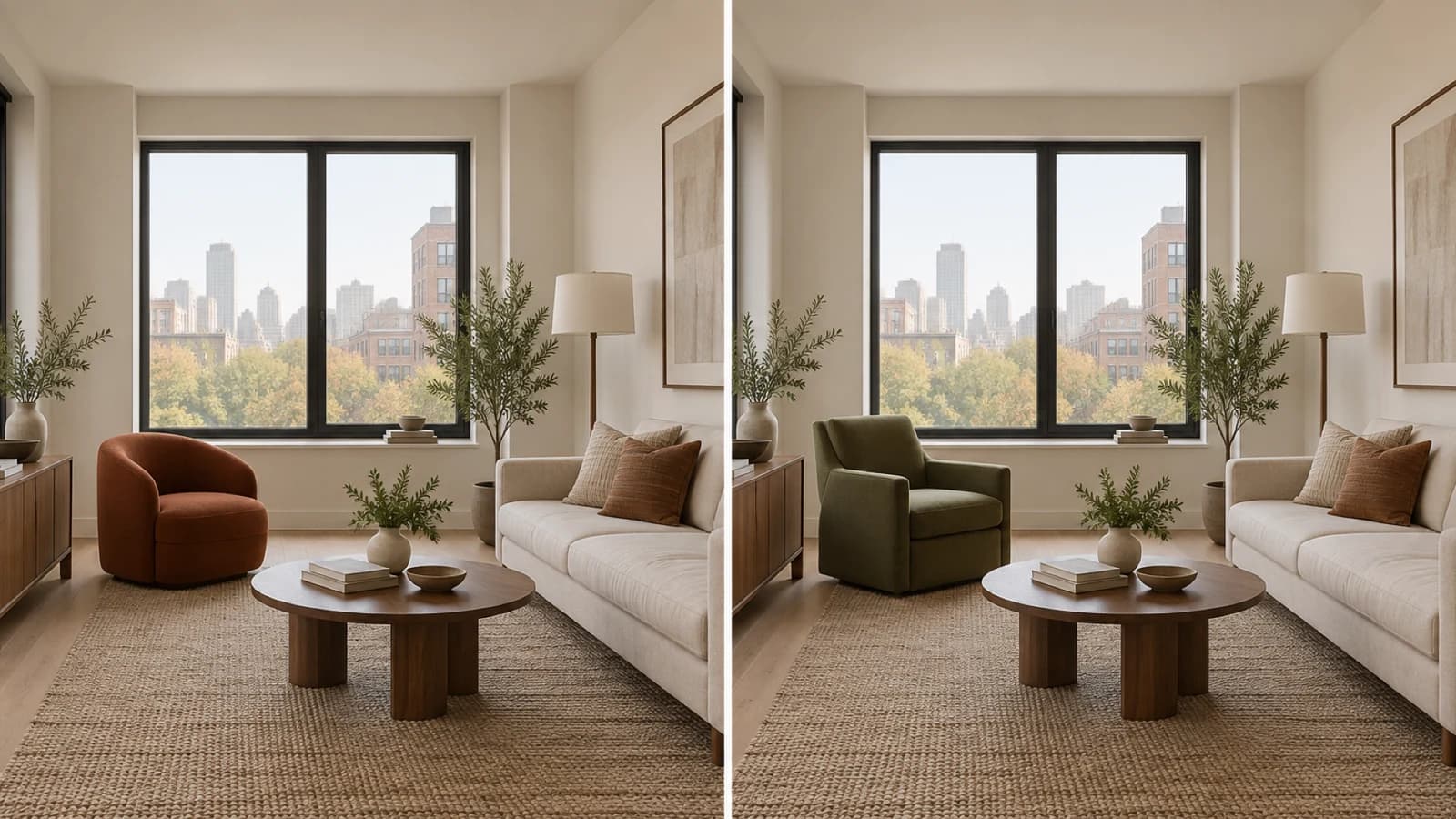
AI can show furniture concepts in a photo of your room, which helps you compare silhouette, color, visual weight, and broad placement. A standard generated preview cannot confirm an exact SKU, true scale, walking clearance, delivery fit, stock, finish, or color. Use the image to define a furniture brief, then check the candidate product's current dimensions and materials against measurements, paths, and light in the real room before you buy.
Know which kind of furniture preview you are using
| Preview type | Useful for | Still verify |
|---|---|---|
| Generative room preview | Furniture category, silhouette, palette, visual weight, broad placement | Whether the object exists, exact identity, dimensions, clearances, materials, color, and fit |
| Product-specific 3D or AR view | Approximate appearance, orientation, and room relationship for a catalog item | Model accuracy, displayed scale, current specifications, paths, finish, stock, and returns |
| Measured floor planner | Testing a footprint when you enter correct room and product dimensions | Field measurements, comfort, materials, delivery, assembly, safety, and installation |
Start by identifying the evidence behind the picture. A generated redesign may invent a chair that fits the requested mood. A catalog visualizer may place a known 3D model. A floor planner can compare entered dimensions. Each can answer a different question, and none inspects the physical room, current product, or delivery route for you.
The AI interior design from a photo workflow explains how to record the room, protect key features, compare the source with the result, and carry a chosen direction into a measured plan.
Do not confuse a generated object with a stock keeping unit
A convincing generated chair can resemble a real product without matching one. Unless the tool maps that image to a current product record, you do not know its maker, model number, dimensions, materials, price, stock, warranty, or return terms. Describe what you like in plain specifications before searching: low rounded back, warm rust upholstery, a compact maximum width, a firm seat, durable fabric, and a defined budget.
Room Foundry creates visual room directions and can surface shopping ideas after a design. Its shopping recommendations use visual similarity and available information. They do not guarantee exact identity, price, availability, quality, compatibility, or merchant performance. Open the current retailer source and verify the candidate there.
A controlled chair comparison shows the useful part
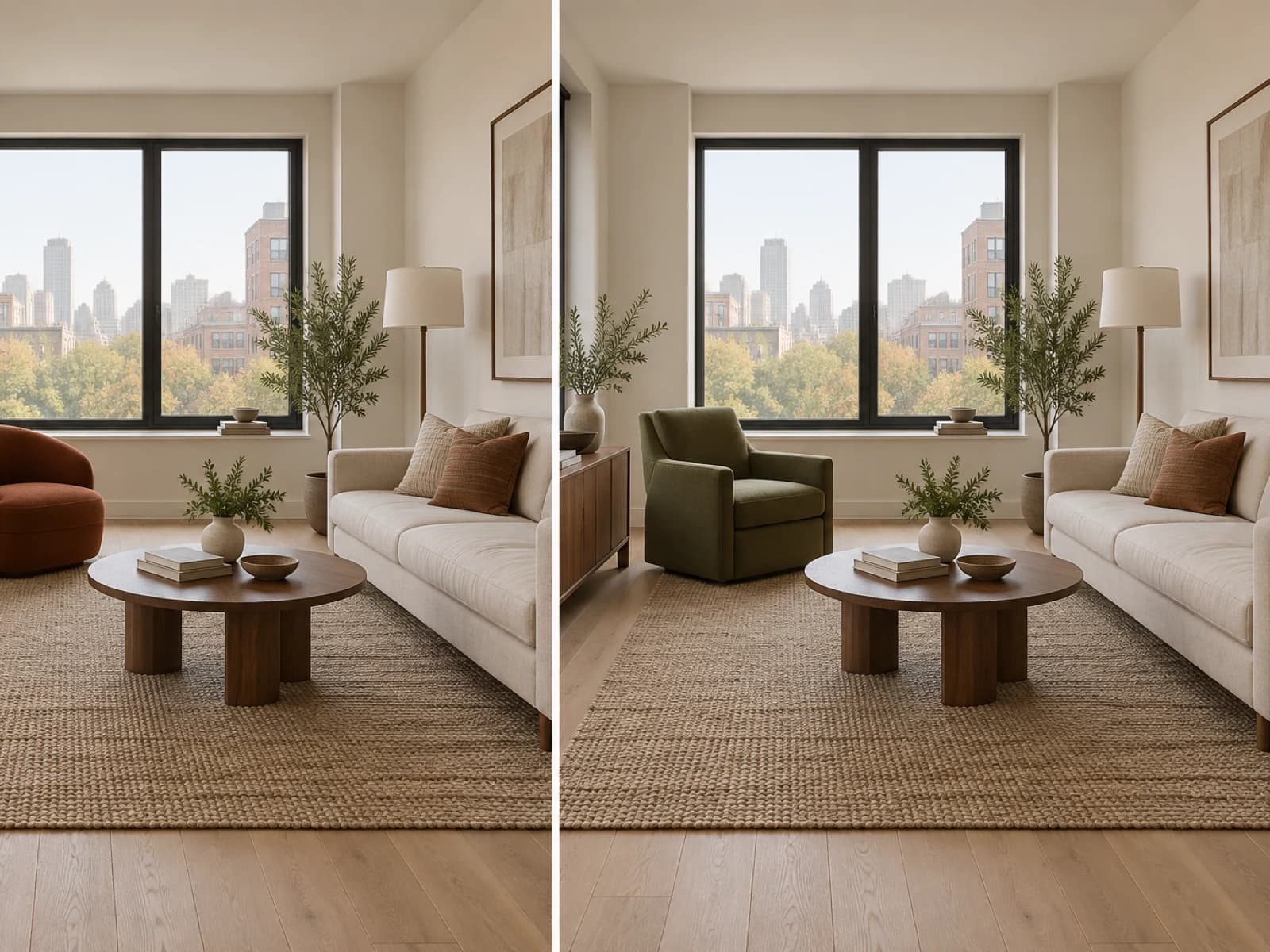
The room keeps the same window, sofa, coffee table, rug, cabinet, floor lamp, plants, floor, walls, camera position, and broad placement. Only the chair direction changes. The rounded rust chair reads lower, softer, and warmer. The olive chair adds straighter lines, a taller back, and more visual weight. That comparison can help you choose a search direction.
What the illustration cannot confirm
- That either chair exists as a current retail product
- The chairs' width, depth, height, seat comfort, material, durability, or true color
- Walking clearance around the coffee table, window access, or sofa relationship
- Fit through doors, halls, stairs, corners, or an elevator
- Price, stock, lead time, assembly, returns, anchoring, or safe use
Use the six-check audit in How Accurate Is AI Interior Design? to inspect perspective, scale, architecture, products, materials, and lighting before you trust a room image.
Use the furniture preview confidence ladder
| Level | Decision you can make | Evidence to collect |
|---|---|---|
| Direction | Choose a category, silhouette, color family, and visual weight to investigate | Source photo plus two or three controlled preview options |
| Candidate | Shortlist a real product that resembles the chosen direction | Current product page, dimensions, materials, price, stock, reviews, warranty, and returns |
| Approval | Decide whether to order and install the item | Room and route measurements, taped footprint, samples, comfort test where possible, instructions, and safety review |
Keep each level separate. You may love the rust chair's shape and still reject a real candidate because its arms are too wide. You may find an olive chair with suitable dimensions and reject it after seeing the fabric beside the rug. A preview narrows the field; the product and room evidence decide the purchase.
Measure the room and the complete delivery path
Mark the proposed footprint with painter's tape or flattened boxes. Check the distance to the coffee table, sofa, walls, doors, windows, vents, outlets, controls, and walking routes. Sit near the taped area and use the room as you would on a normal day. The footprint can fit on paper and still create an awkward path or block a function.
Room & Board's current measuring-for-delivery guide tells shoppers to measure doorways, halls, stairs, elevators, turns, and fixed obstructions. Compare those route dimensions with the current packaged and assembled product specifications before ordering.
For rugs and seating groups, use the living room rug size guide to tape candidate footprints and check the furniture relationship in the actual room.
Check color, material, comfort, and current availability
A screen can help you compare warm rust with olive, but it cannot reproduce the fabric under your windows and lamps. Order or borrow a current swatch when the retailer offers one. Place it beside the floor, rug, sofa, wood, and wall during daylight and after dark. Read the fiber, care, abrasion, cushion, frame, and warranty details at the current source.
Recheck the product page before purchase. Stock, price, delivery date, dimensions, materials, finish names, assembly requirements, and return terms can change. Save the current specification sheet or order record. Do not use a generated image as the product record.
Treat furniture stability and installation as separate work
The U.S. Consumer Product Safety Commission's Anchor It guidance tells households to secure top-heavy furniture and follow manufacturer instructions. Review the exact item, wall condition, supplied hardware, local requirements, and placement. A room preview cannot assess tip-over risk, fastener suitability, or installation quality.
If the design must preserve a sofa, bed, table, or cabinet, follow the keep-existing-furniture workflow and describe the item's shape, color, material, size, position, and orientation before generating another version.
Common furniture-preview mistakes
- Searching for an exact match to an invented chair instead of writing a specification
- Assuming a realistic shadow or perspective proves the scale
- Checking the room footprint but skipping doors, stairs, elevators, and tight turns
- Choosing upholstery from a screen without reviewing a current sample and care details
- Ignoring door swings, vents, outlets, controls, window operation, and walking paths
- Treating shopping ideas as guarantees of identity, compatibility, price, or stock
- Ordering storage furniture without reviewing stability and anchoring instructions
Turn the image into a furniture brief
Write down the furniture category, maximum width and depth, useful height range, shape, color family, material requirements, comfort need, care limit, budget, delivery constraint, and return requirement. Add one reference image for the silhouette. That brief gives you a consistent way to compare real candidates without asking a generated object to supply facts it does not contain.
A furniture preview earns its place when it helps you reject a direction, choose a visual relationship, or write a sharper shopping brief. Finish the job with current product records, room and route measurements, samples, a comfort check where possible, delivery planning, and the right safety or installation work.
FAQ
Common questions
- Can AI put a specific piece of furniture in my room photo?
- Some tools work from a product image or catalog model, while generative room tools may create a similar-looking object. Confirm which method the tool uses. Even a product-specific preview does not replace measurements, current specifications, delivery checks, material samples, or return-policy review.
- Can an AI furniture preview tell me if a sofa will fit?
- A standard photo-based preview cannot prove fit. Measure the room, intended footprint, walking paths, door swings, openings, stairs, elevator, and delivery route, then compare those numbers with the current manufacturer dimensions.
- Are the products in an AI room design real?
- Treat generated furniture as a visual concept unless the tool links the item to a current, verified product record. Room Foundry shopping ideas use visual similarity and available information, so verify identity, dimensions, materials, price, stock, merchant terms, and suitability at the source.
- Can AI show the true color of furniture in my room?
- It can suggest a color relationship, but a camera, generated image, display, daylight, and indoor lighting can all shift color. Review current fabric or finish samples in the room before choosing.
- What should I check before buying furniture from a preview?
- Check the exact product page, dimensions, room footprint, clearances, delivery path, materials, finish sample, care, assembly, anchoring, return terms, price, and stock. Follow current manufacturer and safety instructions during delivery and installation.
Keep exploring
Related reading
AI Room Design
AI Interior Design From a Photo: How It Works and What to Expect
AI Room Design
How Accurate Is AI Interior Design? What to Trust and What to Verify
AI Room Design
Can AI Redesign a Room While Keeping Your Existing Furniture?
Living Room Ideas
What Size Rug Does Your Living Room Need? A Visual Guide
Preview the direction
Compare furniture ideas in your own room.
Upload a room photo, choose a design direction, and use the result as a visual planning study. Your first preview is free; verify exact products and measurements before buying.
Upload a room photo